

Die wichtigsten Eigenschaften eines Projektmanagers
Die wichtigsten Eigenschaften eines PM’s Ich hoffe, Dir geht es gut und Du bist gut durch das erste Quartal gekommen. Ja, Wahnsinn – bald ist Frühling […]

Willst Du weit wandern? Wenn ja, wohin?
Willst Du weit wandern? Wenn ja wohin? ich hoffe, Dir geht es gut und Du genießt weitere warme Tage des Jahres. ERKENNTNISSE Willst Du weit […]

Jetzt gibt es was auf die Ohren
Jetzt gibt es was auf die Ohren Ich hoffe, Dir geht es gut. Die letzten Wochen haben wir hart gearbeitet, um Dir ein weiteres Medium für […]

Bist Du präsent?
Bist Du präsent? ich hoffe, Dir geht es gut und Du kannst die Faschings- und Karnevalszeit genießen oder an Dir vorüberziehen lassen. ERKENNTNISSE Bist Du da? […]

Worauf fokussierst Du Dich?
Worauf fokussierst Du Dich? ich hoffe, Dir geht es gut und Du hast ggf. den einen oder anderen Impuls bekommen zu wachsen und zu lernen. Im […]

Bist Du ein Vorbild?
Bist Du ein Vorbild? Diese Woche möchte ich einige Erkenntnisse mit Dir teilen. Erkenntnisse, die für Dich persönlich und für Deinen beruflichen Kontext wichtig sein könnten. […]

Visionen, die größer sind als du selbst
Visionen, die größer sind als du selbst lang, lang ist’s her und es ist mein erstes Mal in 2019 … der erste Blogartikel. Nach dem Grand […]

Proteine – Grundbausteine des Körpers
Proteine – Grundbausteine des Körpers eine Woche ist wieder vorbei und somit geht es weiter mit meiner Reihe meines dreiteiligen Newsletters über Makronährstoffe. Im heutigen Newsletter […]

Makronährstoffe optimal nutzen
Makronährstoffe optimal nutzen es ist wieder Montag und damit auch wieder Zeit für einen neuen Impuls für Dich, um Deine Woche (noch) erfolgreicher und leistungsfähiger zu […]

Energetisch im Arbeitsalltag
Energetisch im Arbeitsalltag der Sommer ist gekommen und die Hitze, die in den meisten Teilen von Deutschland präsent ist, zehrt an vielen Menschen. Ich möchte Dir […]

Der Wert von Leidenschaft
Der Wert von Leidenschaft ich hoffe, dass Du eine impulsreiche Woche hattest. Der heutige Impuls ist ein wenig anders als die Sonstigen. Heute werde ich Dir […]

Übertrage Fokus und Motivation vom Sport in deine Arbeit
Übertrage Fokus und Motivation vom Sport in deine Arbeit es ist wieder Montag, die Woche beginnt und somit ist es auch Zeit für einen neuen Impuls […]

Wie Du wirklich lernst und andere lernen lässt
Wie Du wirklich lernst und andere lernen lässt letzte Woche war Vater- und Muttertag. Ich hoffe, Du hast viel Zeit mit deiner Familie verbracht. Im heutigen […]

Mitarbeiter sind wichtiger als Kunden
Mitarbeiter sind wichtiger als Kunden ich hoffe, dass Du mit meinem Impuls letzter Woche vollständig neue Erfahrungen machen konntest. Im heutigen Impuls geht es um eine Erkenntnis, […]

Werde selbst-bewusst
Werde selbst-bewusst ich hoffe, dass Wetter war bei Dir letzte Woche genauso gut wie ich es bei mir erleben durfte. Der heutige Impuls thematisiert die Bedeutung […]

The break is your friend
The break is your friend ich hoffe, dass Deine letzte Woche erfolgreich und voller neuer Impulse war. Im heutigem Artikel geht es um eine Erkenntnis, die […]

Erschaffe ein außergewöhnliches Team
Erschaffe ein außergewöhnliches Team Es ist wieder Zeit für einen neuen Impuls für diese Woche. Dazu würde ich gerne auf eine meiner 7 Erkenntnisse der PM […]
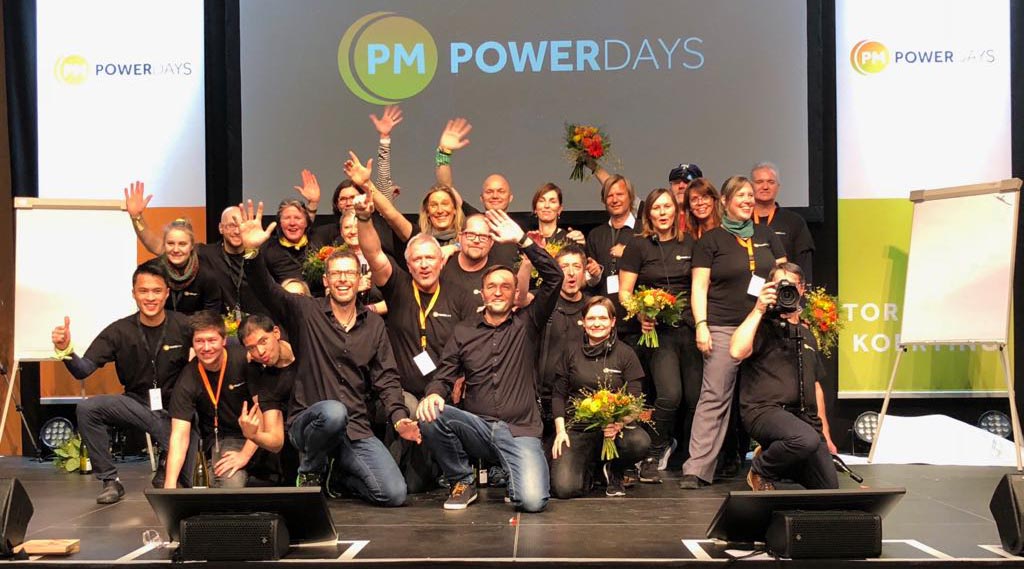
7 Erkenntnisse aus den PM Powerdays
7 Erkenntnisse aus den PM Powerdays Heute teile ich mit Dir die wichtigsten Erkenntnisse, die Oliver und ich nach den PM Powerdays hatten und die uns […]

Deine Vision darf größer sein als Du selbst
Deine Vision darf größer sein als Du selbst Im letzten Artikel lagen die PM Powerdays noch vor uns und die darauffolgenden zwei Wochen waren geprägt von […]

Auszeiten für konzentriertes Arbeiten
Auszeiten für konzentriertes Arbeiten im heutigen Artikel geht es um Auszeiten, oder wie ich sie nenne „Innovation Break Outs“. Warum sind diese Aus- und Denkzeiten so wichtig […]

Die Macht der Prinzipien
Die Macht der Prinzipien im heutigen Artikel geht es um die Macht der Prinzipien, die eine wahre Veränderung ermöglichen, sowohl im Privatleben, als auch im beruflichen […]

Mit kleinen Zielen zum Erfolg
Mit kleinen Zielen zum Erfolg im heutigen Artikel geht es um kleine und große Ziele und wie wir diese erreichen können. Dabei muss es nicht immer […]

Was wir von Sturm Friederike lernen können
Was wir von Sturm Friederike lernen können Im heutigen Artikel geht es um einen Sturm, der uns vor zwei Wochen ganz schön durchgeschüttelt hat. Und mich […]

Dein wichtigster Vorsatz für 2018
Dein wichtigster Vorsatz für 2018 Das neue Jahr ist nun schon ein paar Tage alt – dennoch ist es nicht zu spät für einen guten Vorsatz! […]

Gute Fragen führen zu wirksamen Antworten
Gute Fragen führen zu wirksamen Antworten Das Jahr 2018 ist bereits 3 Wochen „alt“ und knapp 50 Wochen können wir noch wirksam beleben. Teil 4 meiner […]

So kommst Du abends zur Ruhe
So kommst Du abends zur Ruhe Im Teil 3 meiner vierteiligen Serie über Rituale für den perfekten (Projekt-)Tag beschreibe ich Dir heute, wie Du – nach […]

Mit diesen Fragen planst Du wirksam Deinen Tag
Mit diesen Fragen planst Du wirksam Deinen Tag heute schenke ich Dir Teil 2 meiner vierteiligen Serie über Rituale für den perfekten (Projekt-)Tag. Im letzten Artikel […]

Mit diesen Ritualen den perfekten Tag gestalten
Mit diesen Ritualen den perfekten Tag gestalten nicht nur in Turnaround-Projekten, sondern auch in allen anderen Projekten gibt es sie: die ersten 50 Tage in einem […]

So setzt Du Veränderungen leicht und mit Freude um
So setzt Du Veränderungen leicht und mit Freude um Vor vier Wochen hatte ich angekündigt, dass ich dir einmal im Monat spannende Impulse und lebensverändernde Tipps […]

Warum Erfolg nichts mit Talent zutun hat
Warum Erfolg nichts mit Talent zu tun hat Schon als 12-Jähriger war ich ein großer Fan von Michael Groß. Damals dachte ich, dass man solche Spitzenleistungen […]

Warum Lachen gesund ist und Projekte rettet
Warum Lachen gesund ist und Projekte rettet Hast Du heute schon so richtig herzhaft gelacht? Nein? Solltest Du aber! Wenn Du gerade nichts zu Lachen hast, […]

Welche Kraft und Weisheit in Geschichten steckt
Welche Kraft und Weisheit in Geschichten steckt Geschichten prägen uns von Kindheit an. So auch mich – Frederik die Feldmaus zum Beispiel hat mich in meiner […]

Lerne von denen, die da sind, wo Du hin möchtest
Lerne von denen, die da sind, wo Du hin möchtest Seit vielen Jahren lese ich Biografien von Menschen, die mich inspirieren; Menschen, die in manchen Bereichen […]

Welche neue Rolle Projektmanager einnehmen sollten
Welche neue Rolle Projektmanager einnehmen sollten Immer wieder bekomme ich Gelegenheit, mich in Interviews klugen und spannenden Fragen zu stellen – und das Schöne daran ist, […]

Auf der Überholspur zu Deinem Warum
Auf der Überholspur zu Deinem Warum“ Wie wichtig Dein Warum ist und wie Du es finden kannst – davon handelten meine letzten beiden Blogposts. Wie Du […]

Deine Vergangenheit als Quelle für „Dein Warum“
Deine Vergangenheit als Quelle für „Dein Warum“ Mein letzter Blogeintrag handelte davon, wie wichtig ein Warum ist. Daraufhin bekam ich etliche E-Mails: Einige wenige, die mich […]

Warum Dein Warum so wichtig ist
Warum Dein Warum so wichtig ist Deine Mission, Deine Berufung, Dein Zweck der Existenz, kurz: Dein Warum ist existenziell wichtig für Dein gesamtes Leben. Aber warum […]

Scheitere hart und scheitere oft
Scheitere hart und scheitere oft Die Geschichte, die ich Dir heute erzähle, ist die Geschichte meines ersten eigenen Unternehmens – und die eines schwarzen Tages, der […]

So erhältst Du Deine Kreativität am Leben
So erhältst Du Deine Kreativität am Leben Unsere Welt ist schnell, unsicher, komplex und vieldeutig. Nur wenn wir uns von Zeit zu Zeit erden, wieder zurück […]

Von verschenkten und genutzten Chancen
Von verschenkten und genutzten Chancen Hattest Du schon einmal im Leben eine Riesenchance, warst zur richtigen Zeit am richtigen Ort – bist dann aber nicht den […]

So bietest Du Deinen Kunden besondere Erlebnisse
So bietest Du Deinen Kunden besondere Erlebnisse Kannst Du es manchmal auch nicht mehr hören – Erlebniseinkauf, Erlebnismarkt, Erlebniszoo – Alles muss heutzutage ein Erlebnis sein, […]
Diese Momente beantworten alle Deine Fragen
Diese Momente beantworten alle Deine Fragen Du fragst Dich sicherlich manchmal, wofür Du das alles machst – das viele Lernen, das Arbeiten, Dasein für andere, eigene […]

So gibst Du Deiner Karriere den spürbaren Schub
So gibst Du Deiner Karriere den spürbaren Schub Hast Du auch manchmal das Gefühl, dass die Wochen und Monate nur so an Dir vorbeirauschen? Ich habe […]

Lass Deine Komfortzone hinter Dir und entdecke die Magie
Lass Deine Komfortzone hinter Dir und entdecke die Magie Heute bekommst Du meine Impulse für diese Woche – es geht heute um eines meiner Lieblingsthemen: die […]

Ripple Effect: Einen Stein ins (Projekt-)Wasser werfen
Sie wissen, wie es aussieht, wenn Sie einen Stein ins Wasser werfen: Um die „Einschlagstelle“ bilden sich Wellen, die sich konzentrisch ausbreiten. Je größer der Stein, desto größer die Wellen. „Ripple Effect“ heißt das auf Englisch. Auch in Projekten gibt es diesen Ripple Effect – er spielt besonders bei Transformationsprojekten eine große Rolle.

Wissen kuratieren: Der Projektmanager als Gesamtkunstwerk
Wissen kuratieren: Der Projektmanager als Gesamtkunstwerk Wer sich beruflich so positioniert, dass seine Leidenschaft und Substanz auf einen Markt treffen, der für die eigene Leistung zu […]
Positionierung für Projektmanager: 2 Millimeter Unterschied
Viele Prominente aus dem Film- und Showbusiness legen sich unters Messer, lassen Nasen verkleinern, Gesichter liften und Lippen aufspritzen. Es geht manchmal nur um 2 Millimeter – die dafür sorgen, dass sie sich besser fühlen und auf dem roten Teppich einen überzeugenden Auftritt hinlegen. Die gute Nachricht: Als Projektmanager brauchen Sie sich nicht in die Hände eines Schönheitschirurgen zu begeben, um die entscheidenden 2 Millimeter Unterschied zu generieren. Sie können Ihre innere Haltung zu sich selbst auch anders weiterentwickeln.
Wie geht Erfolg? Oder: Warum Sie unbedingt herausfinden sollten, welchen Wert Sie für andere haben
Wie geht Erfolg? Oder: Warum Sie unbedingt herausfinden sollten, welchen Wert Sie für andere haben. Als ich die Einladung zur diesjährigen Blogparade des BA Camp erhalten […]
Das Plateau: ein Zwischenstopp auf dem Weg zum Gipfel
Das Plateau: ein Zwischenstopp auf dem Weg zum Gipfel Am Beginn eines Turnaround-Projekts geht alles noch sehr schnell – die Situation verbessert sich, ebenso die Stimmung […]
Wie Sie alles lernen können, was Sie lernen wollen
Wie Sie alles lernen können, was Sie lernen wollen Wer etwas Neues lernen will – eine Sprache, eine Projektmanagement-Methode, eine Sportart, ein Instrument – kann dies […]
Was Turnaround-Projektmanager vom Flug der Phönix lernen können
Was Turnaround-Projektmanager vom Flug der Phönix lernen können 1965 drehte Robert Aldrich „Flug der Phönix“, einen Spielfilm über einen Flugzeugabsturz in der Sahara. Turnaround-Projektmanager sollten ihn […]
Finden Sie jeden Tag heraus, was das Wichtigste ist
Finden Sie jeden Tag heraus, was das Wichtigste ist Das eigene Leben zu fokussieren – das ist ein Erfolgsgarant für viele Menschen. Sie investieren Zeit und […]
Stress im Projekt: Machen Sie doch mal Ihre Faszien locker!
Stress im Projekt: Machen Sie doch mal Ihre Faszien locker! In einem Meeting des Turnaround-Projektteams: Es gibt nur schlechte Nachrichten, und der Turnaround des Projektes scheint […]
Liefertreue im Projekt: Eine Frage der Haltung
Liefertreue im Projekt: Eine Frage der Haltung Präsentationen, Checklisten, Lastenhefte, Meetings, Meilensteine, Systemtests, Go-Live: In allen Bereichen eines Projekts sind Liefertreue und verbindliche Zusagen entscheidend. Was […]
Wenn der Turnaround-Projektmanager zwar geholt, aber nicht gewollt wird
Wenn der Turnaround-Projektmanager zwar geholt, aber nicht gewollt wird Es kommt tatsächlich vor, dass ich als Turnaround-Projektmanager in ein Projekt geholt werde, aber trotzdem nicht erwünscht […]
Turnaround-Projekte: Warum die Arbeitsumgebung so wichtig ist
Turnaround-Projekte: Warum die Arbeitsumgebung so wichtig ist Ein Standardbürogebäude aus den 80er-Jahren: lange schmale Flure, grauer Nadelfilz am Boden, weiße Wände, links und rechts liegen Einzelbüros, […]
Eingeständnis ist der erste Schritt zur Besserung: So retten Sie Projekte
Eingeständnis ist der erste Schritt zur Besserung: So retten Sie Projekte In Projekten verhalten sich die Menschen oft so, als seien sie Alkoholiker oder hätten eine […]
Turnaround-Projekte: So gehen sie mit Menschen um, die sich als Opfer inszenieren
Turnaround-Projekte: So gehen sie mit Menschen um, die sich als Opfer inszenieren Auch in Turnaround-Projekten gibt es sie: Menschen, die sich als Opfer fühlen und den […]
Shaolin-Feedback: So steigern Sie die Qualität der Zusammenarbeit
Shaolin-Feedback: So steigern Sie die Qualität der Zusammenarbeit Schon seit vielen hundert Jahren nutzen die chinesischen Shaolin-Mönche bestimmte Techniken, die ihre körperliche und mentale Leistungsfähigkeit steigern. […]
How to master any skill you want !
How to master any skill you want ! It has been 20 years ago when I got attracted to paragliding. with some friends I attended a course […]
4 Tage, 4 Etappen, 190km rund um Frankfurt
4 Tage, 4 Etappen, 190km rund um Frankfurt Nicht unweit von unserem Haus in Bad Homburg beginnt der Rhein-Main Rund tour Radweg. 190 km in einem weiten […]
Zum richtigen Zeitpunkt zurückziehen
Was haben Bühnenstars, Fußballprofis und Turnaround-Projektmanager gemeinsam? Sie alle müssen genau wissen, wann es Zeit ist aufzuhören – und ihren Ausstieg gut vorbereiten.
You can’t manage what you don’t measure
Es ist fast schon eine Binsenweisheit – dass man nur das managen kann, was man auch misst. Das Komische daran: Obwohl dies bekannt und hinlänglich nachgewiesen ist, halten sich viele Unternehmen und Projekte nicht daran. Mit fatalen Konsequenzen.
Wie aus dem Project Square ein Delivery Square wird
Überblick über ein Projekt ist wichtig – und den gewinnt man mit dem Project Square, den ich zusammen mit Michael Merkwitza, Roger Dannenhauer und den Impulsgebern unseres Buchprojekts www.turnaroundpm.com entwickelt habe. Aus diesem Project Square lässt sich ganz leicht ein Delivery Square entwickeln – um die Regelbetriebsaktivitäten ebenfalls aus einer gewissen Flughöhe zu betrachten.
Wenn ein Turnaround-Projektmanager zu gut ist
Ein Turnaround-Projektmanager tritt ein neues Projekt an, nimmt seine Arbeit auf, gibt Vollgas, und die ersten Erfolge lassen auch nicht lange auf sich warten: Das Projekt stabilisiert sich innerhalb weniger Wochen. Alles gut, also? Von wegen. Denn an anderer Stelle braut sich schon wieder Unheil zusammen.
Wahrnehmen, Reflektieren, Handeln
Nicht nur in Turnaround-Projekten, sondern auch in allen anderen Projekten gibt es sie: kleine Anzeichen dafür, dass die Projektwelt doch nicht so heil ist, wie alle tun. Diese Anzeichen gilt es wahrzunehmen und entsprechend darauf zu reagieren – in einem immerwährenden Zyklus.
Von null auf Augenhöhe
Wenn Sie als Turnaround-Projektmanager in eine neue Projektsituation kommen und dort das erste Mal auf Kunden und Partner treffen, dann gilt es, Augenmaß und Empathie zu zeigen. Wer in dieser Situation zu laut auftritt, schadet sich und dem Projekt. Das ändert sich jedoch.
The reinvention of Deutsche Bank: 6 insights for projects in crises
The reinvention of Deutsche Bank: 6 insights for projects in crises Members of the executive team got fired; the new CoCEO shuns the public; the organization […]
Die Deutsche Bank erfindet sich neu: 6 Erkenntnisse für Projekte in Krisensituationen
Die Deutsche Bank erfindet sich neu: 6 Erkenntnisse für Projekte in Krisensituationen Teile des Managements sind gefeuert, der neue CoCEO scheut die Öffentlichkeit, dramatisch schlechte Nachrichten […]
Die eingeforderte Verantwortung
Ein Turnaround-Projekt tritt ab einem gewissen Punkt – dem Tipping Point – in eine Phase der Stabilisierung ein. Dass diese Phase kommt, kann ein Turnaround-Projektmanager nicht zuletzt daran feststellen, dass die einzelnen Rollen mehr oder weniger vehement Verantwortung einfordern.
Was Drecks-Slides und Top-Shots gemeinsam haben
Stellen Sie sich vor: In einer Präsentation gibt es ein Slide, auf dem eine Service-Level-Grafik abgebildet ist, die Ihren Bereich alles andere als gut aussehen lässt. Wie nennen Sie dieses Slide? „Slide, auf dem unser Bereich nicht so gut aussieht“? Ich hätte da einen Vorschlag für Sie.
Tipping Point – wenn Quantität in Qualität umschlägt
Kennen Sie den Film „Der Flug des Phönix“? In der Handlung gibt es einen Punkt, von dem an klar ist: Jetzt ist das Schlimmste überwunden, es geht bergauf – und zwar, als die Crew es schafft, ein tonnenschweres Wrackteil von der einen Seite des abgestürzten Flugzeugs auf die andere zu heben. Danach rückt das Ziel der Aktion in greifbarere Nähe als je zuvor; aus den verbliebenen Wrackteilen ein neues Flugzeug zu bauen, ist keine Utopie mehr, sondern tatsächlich umsetzbar.
Start empty
Auch wenn es erstaunlich scheinen mag – ein Urlaub und ein Turnaround-Projekte stellen an ihre Hauptdarsteller dieselben Anforderungen: Sie müssen alles hinter sich lassen.
Speed Dating
Speed Dating? Das hat doch in einem Turnaround-Projekt nicht verloren? Von wegen! Speed Dating ist ein wunderbares Format, wenn es darum geht, große Gruppen oder Teams in Projekten und Linienorganisationen innerhalb von einer oder zwei Stunden dazu zu bringen, sich kennenzulernen und miteinander auszutauschen.
So ziehen Sie sich an den eigenen Haaren aus dem Sumpf
So ziehen Sie sich an den eigenen Haaren aus dem Sumpf Wenn einer bis zum Hals im Sumpf steckt, dann ist es zunächst einmal nicht entscheidend, […]
Rebellen und Unterstützer
Rebellen und Unterstützer Krisen und Turnaround-Situationen bringen Veränderungen mit sich – für Mitarbeiter, Teams, deren Vorgesetzte und die Linienverantwortlichen. Meistens stellt sich sehr schnell heraus, dass […]
Potential Future Fuck-ups
Potential Future Fuck-ups Machen wir uns nichts vor: Wer in Projekten oder Delivery-Situationen das Wort „Risiko“ oder gar „Risikomanagement“ in den Mund nimmt, erntet bei seinem […]
Warum ein Chamäleon kein gutes Vorbild für Turnaround-Projektmanager ist
Warum ein Chamäleon kein gutes Vorbild für Turnaround-Projektmanager ist Ein Chamäleon hat eine faszinierende und nützliche Eigenschaft: Es kann sich seiner Umgebung farblich so anpassen, dass […]
Vorzeigeobjekte oder Gespött der Bevölkerung – ein Abschlussbericht
Vorzeigeobjekte oder Gespött der Bevölkerung – ein Abschlussbericht Ich habe schon vor einigen Wochen hier im Blog beschrieben, wie Sie die Fehler der deutschen Großprojekte verhindern […]
Guten Appetit!
Guten Appetit! Ein Turnaround-Projektmanager ist permanent mit neuen Kunden- und Dienstleistersituationen konfrontiert, ständig trifft er auf neue Menschen, die er nicht kennt und mit denen er […]
Ein würdiger Abschluss für erfolgreiche Tage
Ein würdiger Abschluss für erfolgreiche Tage ich habe vor einigen Wochen ja schon davon berichtet, wie erfolgreiche Manager morgens in den Tag starten und sich für […]
Nachhaltige Nachhaltigkeit nachhalten
Nachhaltige Nachhaltigkeit nachhalten Zugegeben: Ein bisschen schwindelig kann einem bei dieser Überschrift schon werden. Dennoch drückt sie genau das aus, um was es mir hier geht: […]
Projektmanager als Geschichtenerzähler
Projektmanager als Geschichtenerzähler Die meisten Menschen sind nicht gut darin, sich Zahlen, Namen und Fakten zu merken. Teilen Sie Ihren Mitarbeitern ganz genau mit, wie groß […]
Wie man als langsamer Hobby Laeufer in der Zeitung landet …
Ein 5km Lauf … normalerweise etwas zum warm werden … aber am 07. August trafen sich 4 Läufer (Birgit, Carlo, Kai und ich) aus der Rhein-Main Region um am Energizer Night Run in Wiesbaden teilzunehmen. Und sie waren nicht nur in der Dunkelheit unterwegs, sondern landeten am Ende auch in der Presse / Zeitung.
Wer lacht, ist souverän
Keine Frage: Menschen, die uns freundlich und mit einem Lächeln begegnen, empfinden wir als deutlich angenehmer und sympathischer als diejenigen, die griesgrämig durch die Gegend schleichen. Das ist auf der Straße nicht anders als in einem Turnaround-Projekt.
Wie Sie erfolgreich mit Ihrer neuen Führungsrolle starten
Im April dieses Jahres veröffentlichte das McKinsey Institut die Ergebnisse einer Umfrage zum Einstieg in neue Führungsrollen. Mehr als 80% der Befragten gaben an, dass es länger als einen Monat gedauert hat, sich an die neue Rolle zu gewöhnen. Wie schwer der Übergang ist, sieht man schon daran, dass mehr als ein Drittel der Befragten nicht die vorgegebenen Ziele erreichte.
PMI Stammtisch Heidelberg – Neue Impulse für Projektmanager
PMI Stammtisch Heidelberg – Neue Impulse für Projektmanager Auf Einladung von Juergen Ruff, verantwortlich für den PMI Stammtisch Heidelberg, hatte ich die Möglichkeit am 26. Juni […]
Von Freunden und Feinden eines Turnaround-Projektmanagers
Als Turnaround-Projektmanager macht man sich Freunde – viele sind froh, dass endlich etwas mit dem Krisen-Projekt passiert! –, aber definitiv auch Feinde. Die gilt es besonders gut zu behandeln.
4 Email-Hacks für stressfreies Projektmanagement
Manager von großen Projekten erhalten jeden Tag unzählige Mails. Manchmal im dreistelligen Bereich. Damit Sie in dieser Flut von Nachrichten trotzdem die Übersicht behalten, habe ich hier 5 nützliche Tricks aufgelistet, die Ihnen die Inbox-Pflege erleichtern.
Bunt und emotional: Flipchart ist ein starkes Tool
Ein Flipchart gehört zu den Moderationsmaterialien, die längst überholt und nur noch dazu geeignet sind, alle zum Gähnen zu bringen? Heutzutage macht man das per Pad und Beamer? Von wegen. Ein Flipchart ist ein wichtiges und spannendes Tool – vorausgesetzt, der Nutzer ist ein bisschen extrovertiert und in der Lage, seine Inhalte schnell in Bilder umzusetzen.
Am Anfang lebt das Chaos
Am Anfang lebt das Chaos Steigt ein Turnaround-Projektmanager in ein Projekt ein, zeigt sich oft dasselbe Muster: Wo Chaos herrscht, verursacht er zunächst noch mehr Chaos. […]
Entscheidende Entscheidungen
Projekte geraten oft in Schieflage, weil etwas Entscheidendes fehlt – und das im wahrsten Sinn des Wortes: Die verantwortlichen Führungskräfte treffen wenig oder gar keine Entscheidungen mehr.
Erzählen Sie die Geschichte Ihres Projekts!
Kennen Sie Erklärvideos? Genau, diese netten kleinen Filmchen, in denen in gut verständlicher Sprache und mit einfachen Mitteln etwas anschaulich und schnell erfassbar dargestellt wird. Erklärvideos erklären aber nicht nur etwas, sondern sie sind auch eine höchst wirksame Team-Building-Maßnahme.
Warum ein Turnaround-Projektmanager ohne sein Notizbuch verloren ist
Auf einen Turnaround-Projektmanager prasseln nicht nur zu Beginn eines Projekts, sondern auch in dessen Verlauf jede Menge Informationen ein: in persönlichen Gesprächen, in Team-Sitzungen, in Kunden-Meetings. Um sich all diese Informationen zu merken, hilft nur eines: aufschreiben.
Das beste Team gewinnt
Das beste Team gewinnt Mit der Erkenntnis, dass man das beste Team braucht, um gut arbeiten zu können, versetzt man sein Publikum sicherlich sofort in Tiefschlaf. […]
GPM ‚TurnAround PM‘ – 2. Treffen
GPM ‚TurnAround PM‘ – 2. Treffen Das 2. Treffen der GPM Fachgruppe ‚TurnAround PM‘ war überwältigend. Nicht nur von der Resonanz im Vorfeld und der über […]
Morgenroutine für ein erfolgreiches Projektmanagement
Morgenroutine für ein erfolgreiches Projektmanagement Wenn wir uns erfolgreiche Managern, CEOs und Entrepreneurs anschauen, fällt schnell eine Gemeinsamkeit auf: Alle folgen sehr strukturierten Tagesabläufen. Eine zentrale […]
Machen Sie nicht die Fehler der deutschen Großprojekte
Die Hertie School of Governance untersuchte in einer Studie 170 große Infrastrukturprojekte aus verschiedenen Branchen in Deutschland. Egal ob Straßenbau oder Kommunikationstechnologie – überall sorgen Fehler in Planung und Projektmanagement für teilweise gigantische Mehrkosten.
Ein Turnaround-Projektmanager muss zeichnen können
Stellen Sie sich vor: Sie moderieren ein Meeting und schreiben gerade ein paar Stichworte auf ein Flipchart. Als Sie sich wieder zur Gruppe umdrehen, sitzen alle da und gähnen. Klarer Fall: Hier wird es Zeit für ein bisschen Lebendigkeit! Malen Sie den Schnarchnasen doch was vor!
Ausgetretene Pfade verlassen – Geschichten, Impulse und Erkenntnisse, die jedes Projekt nach vorne bringen
Ausgetretene Pfade verlassen – Geschichten, Impulse und Erkenntnisse, die jedes Projekt nach vorne bringenWas sich hinter einer einfachen Stakeholder-Matrix noch alles verbirgt Wie Sie Ihr […]
Innovation 2.0 … oder droht der Mittelstand zurückzufallen
Innovation 2.0 … oder droht der Mittelstand zurückzufallen Innovationen und Geschäftsmodelle die von neuen Marktteilnehmern ‚disrupted‘ werden sind in aller Munde. Auf Einladung von Prof. Dr- […]
Projektkrisen und -schieflagen frühzeitig erkennen und erfolgreich bewältigen – Die GPM TurnAround PM Fachgruppe ist gegründet.
Nach doch einiger Zeit fand am 27. Februar 2015 die Gründungsveranstaltung der neuen GPM Fachgruppe ‚TurnAround PM‘ mit insgesamt 16 Teilnehmern statt. Ziele und Visionen wurden formuliert, erste Arbeitsergebnisse sind entstanden und der Vorstand wurde gewählt. Das nächste Treffen findet nun am 19. Juni von 09:30 bis 17 Uhr in Frankfurt am Main statt.
Warum ein Turnaround-Projektmanager immer auch Coach,Trainer und Mentor ist
Warum ein Turnaround-Projektmanager immer auch Coach,Trainer und Mentor ist Wenn ein Turnaround-Projektmanager ein neues Projekt übernimmt, dann trifft er dort nicht nur auf ein Projekt in […]
So gewinnen Sie das Vertrauen der Stakeholder zurück
So gewinnen Sie das Vertrauen der Stakeholder zurück In vielen Schieflagen und Krisensituationen zeigt sich, dass etliche Stakeholder-Gruppen ihr Vertrauen in das jeweilige Projekt schon lange […]
Nicht ohne die Linienorganisation!
Nicht ohne die Linienorganisation! Tritt ein Turnaround-Projektmanager ein neues Projekt an, bekommt er nicht nur große Verantwortung übertragen, sondern auch entsprechende Befugnisse und Kompetenzen. Da kann […]
Work-Work-Balance
Work-Work-Balance Befindet sich ein Projekt in einer Krisensituation, dann ist natürlich alle Aufmerksamkeit des Teams darauf fokussiert, dieses Projekt wieder zurück in einen grünen Bereich zu […]
Die wichtigste Aufgabe eines Turnaround-Projektmanagers
Die wichtigste Aufgabe eines Turnaround-Projektmanagers Ein Turnaround-Projektmanager hat viel zu tun – seitenlange To-do-Listen lassen sich mit dem füllen, was er jeden Tag in Angriff zu […]
Keiner geht von Bord!
Keiner geht von Bord! Sicher – Meetings gehören in einen Meetingraum. Aber in ganz bestimmten Situationen ist es besser, sich auf einem Boot zu treffen. Warum […]
Braucht ein Turnaround-Projektmanager eine Pause
Braucht ein Turnaround-Projektmanager eine Pause Gerät ein Projekt in eine Schieflage und anschließend in eine Turnaround-Situation, kommt auf alle Beteiligten eine sehr arbeitsintensive Zeit zu: Der […]
Was Jongleure und Turnaround-Projektmanager gemeinsam haben
Was Jongleure und Turnaround-Projektmanager gemeinsam haben Gleich zu Beginn eines Turnaround-Projektes wartet Schwerstarbeit auf den Turnaround-Projektmanager: Er muss viele verschiedenen Themen adressieren und noch mehr Maßnahmen […]
Ausgleich, Ausgleich, Ausgleich
Ausgleich, Ausgleich, Ausgleich Keine Frage: Turnaround-Situationen ziehen einen immensen Aufwand für das Team, aber auch den Turnaround-Projektmanager nach sich. 60, 70 oder 80 Wochenstunden sind keine […]
Be- und Erkenntnisse eines Turnaround-Projektmanagers
Be- und Erkenntnisse eines Turnaround-Projektmanagers Kein Projekt gleicht dem anderen, und dasselbe gilt für die Krisensituationen, in die ein Projekt rutschen kann: Jede ist anders. In […]
Grenzen testen: Erfolgsfaktor für TurnAround-Projektmanager
Grenzen testen: Erfolgsfaktor für TurnAround-Projektmanager Tritt ein Turnaround-Projektmanager ein neues Projekt an, geschieht dies meist nicht im Rahmen einer operativen Rolle. Er hat also keine operative […]
Welche Kompetenzen und Entscheidungsbefugnisse braucht ein Turnaround-Projektmanager?
Welche Kompetenzen und Entscheidungsbefugnisse braucht ein Turnaround-Projektmanager? Steigt ein Turnaround-Projektmanager in ein Projekt ein, das in eine Krisensituation geraten ist, dann stattet sein Auftraggeber ihn mit […]
Business Mastery – Anthony Robbins
Business Mastery – Anthony Robbins Modelling – Total Immersion – Space Repetition: Das sind die drei Schritte, die man gehen muss, um etwas zu beherrschen – […]
Geschichten als emotionaler Anker – das Video als visuelle Yacht
Geschichten als emotionaler Anker – das Video als visuelle Yacht Bilder sprechen unterschiedliche Sinne an und bleiben deshalb besser im Gedächtnis haften als reiner Text. Und […]
Moments of Impact – strategische Gespräche ohne Blabla
Moments of Impact – strategische Gespräche ohne Blabla Wie viele von uns sitzen tagein, tagaus in endlosen Meetings mit wenig oder keinen Ergebnissen? Speziell, wenn es […]
PMcampRM – Storytelling und Videoprototyping
PMcampRM – Storytelling und Videoprototyping Am 27. und 28. Juni war es wieder so weit – das PM Camp Rhein-Main öffnete seine Pforten. Letzes Jahr hatte […]
Neues E-Book: Project Leadership
Neues E-Book: Project Leadership 40 Projektmanagement-Eperten weltweit erzählen, wie sie es schaffen, ihre Projekte nicht mehr zu managen, sondern tatsächlich zu führen: „Project Leadership – Lessons […]
Projektmanagement: So etablieren Sie eine Führungsbalance
Projektmanagement: So etablieren Sie eine Führungsbalance Unter den Erfolgsfaktoren für Projektmanagement ist einer entscheidend: Ordnung, Erkenntnis und Miteinander im Projekt sollten sich in einem guten und […]
Rausreden gilt nicht! 9 Regeln für ein Projektmanagement ohne Ausflüchte
Rausreden gilt nicht! 9 Regeln für ein Projektmanagement ohne Ausflüchte Konsequentes, nachhaltiges und kontinuierlich erfolgreiches Projektmanagement – geht das überhaupt? Ja, sicher! Aber nur, wenn Sie […]
Build Your Business – drei Geschäftsideen in den Startlöchern
Build Your Business – drei Geschäftsideen in den Startlöchern Eine Online-Plattform, über die Kunden von Lebensmittel-Einzelhändlern ihre Bestellung zur Abholung aufgeben – eine Software-Lösung für die […]
Der Körper ist der größte Schwätzer aller Zeiten
Der Körper ist der größte Schwätzer aller Zeiten In meinen Gedanken und Erinnerungen begleitet er mich gefühlt schon seit 30 Jahren – Samy Molcho, der Guru […]
FORTH Innovation: ein Resümee
FORTH Innovation: ein Resümee Eine sehr intensive Woche mit fünf Tagen tiefgehendem Training später kann ich nun besser einschätzen, für wen bzw. welche Situation sich die […]
BPUG – Projektkrisen erfolgreich managen
BPUG – Projektkrisen erfolgreich managen Am Montag, dem 17. Februar 2014 war es mal wieder soweit. Seminarhotel, 35 wissbegierige und vernetzungswillige Menschen und dankbare Zuhoerer. Ein […]
Project Zone 2013 Congress – Looking Back
Project Zone 2013 Congress – Looking Back After attending the Project Zone Congress 2013, organized by stamford global and supported by PMI Frankfurt Chapter in Frankfurt […]
My First steps in Sketch Noting in a Conference Environment
My First steps in Sketch Noting in a Conference Environment Sketch noting is way to reflect talks and presentation and document the things that resonate and […]
Why do projects fail ?
Why do projects fail ? A key question that do justify a TurnAround and influence how to manage the crisis and the TurnAround. Projects are […]
The 5 Phases of a Project TurnAround
The 5 Phases of a Project TurnAround Projects do fail. Whether they are big or small. At some point they will go through crisis and major challenges. […]
Story Telling Principals Applied to Project Management
Story Telling Principals Applied to Project Management As part of our book project ‚TurnAround – wenn Projekt Kopf stehen und klassisches Projekt Management versagt‘ – www.turnaroundpm.com […]
What do you do if a talk does not resonate
What do you do if a talk does not resonate One of the last talks I would like to share is the one from Russel Archibald […]
Leading Strategic Projects and still having Fun – Aaron Shenhar
Leading Strategic Projects and still having Fun – Aaron Shenhar Next day, new talks, and it was hard to get any better. Aaron Shenhar was up […]
Story Telling … Short Stories
Story Telling … Short Stories The last and final talk, brought to us by Peter Beck, a non native Story teller, talking about short stories that […]
The successful Virtual Team
The successful Virtual Team The next talk up that afternoon, March 18th, as part of the project zone congress, is another one by Lars Sudmann, who […]
Change is Key – Frank French
Change is Key – Frank French Change is key, this is the title of a presentation by the current PMI Frankfurt Chapter President. Based on his […]
I believe I can fly – Project Management Culture at AIRBUS
I believe I can fly – Project Management Culture at AIRBUS Airbus, as a global organization, building, selling and delivering 600 airplanes a year, with a […]
ROI of Project Management Offices
ROI of Project Management Offices Dry, very technical, how ever, an engaging speaker, Ricardo Vargas, with lots of knowledge and surviving the middle east (Iran and […]
High Performance Leadership
High Performance Leadership Third keynote coming up on ‚High Performance Leadership‘ by Lars Sudmann. Lots of stuff has been written and talked about leadership in the […]
Honestly Agile – Jochen Krebs
Honestly Agile – Jochen Krebs NExt talk at the PMI Project Zone Congress its about Agile. A topic that is buzzing at the moment. Lot’s of […]
Change Management reduced to Seven simple Questions
Change Management reduced to Seven simple Questions As I am currently attending the Project Zone Congress 2013 in Frankfurt, organized by the PMI Frankfurt Chapter and […]
Something Special – TEDx RheinMain – Curiosity
Something Special – TEDx RheinMain – Curiosity Yesterday, after a long time planning, I did attend my first TEDx event, the RheinMain spin-off, or so called […]
10 Signs It’s Time to Look for Another Project
10 Signs It’s Time to Look for Another Project The project became a TurnAround candidate You’re bored The project has been delivered but you have’nt […]
Our book ‚Kompendium für ITIL V3 Projekte‘ OGC certified
Our book ‚Kompendium für ITIL V3 Projekte‘ OGC certified Our book ‚Kompendium für ITIL V3 Projekte‚ has been OGC certified, the holder of the ITIL trademark […]
A great way to promote yourself as a project manager
A great way to promote yourself as a project manager A fantastic way to promote yourself as a project manager and to find new challenges. I […]
interPM – Project Management in Glashuetten
interPM – Project Management in Glashuetten Some of you might ask, where the f&$k is Glashuetten…. It’s a small little cute town in the ‚hintertaunus‘ a […]
NEXT 2012 – post digital and beyond
NEXT 2012 – post digital and beyond This week was the week of the conferences. First the NEXT conference, a social media conference hosted by […]
NASA PM Challenge – Day 2
NASA PM Challenge – Day 2 Day two starts with a room that is not as filled as yesterday. Might be the case that some attendees […]
NASA PM Challenge – Day 1
NASA PM Challenge – Day 1 After inspecting the facilities yesterday evening I am now looking forward how the venue presents itself and will accommodate more […]
Confessions of a public speaker, or …
Confessions of a public speaker, or … … how to speak in front of an non existing audience or in an empty room. Just arrived […]
NASA Project Management Conference 2012
NASA Project Management Conference 2012 A small little dream came true, I must say. I am not just attending the conference this year, taking place at […]
Mythos Auswandern – Reif für die Insel?
Mythos Auswandern – Reif für die Insel? Mit diesem Titel, Reif für die Insel, wurde ich im Juni diesen Jahres von der Universität Graz auf eine […]
Microblogging at a Global Player – How Deutsche Bank uses Social Media !
Microblogging at a Global Player – How Deutsche Bank uses Social Media ! A colleague of mine just presented at the next 2011 conference held in […]
PM Forum 2010 – Looking Back !
PM Forum 2010 – Looking Back ! It has been now 7 seven days since I returned from this Years PM Forum 2010 hosted and organized […]
Entrepreneurship Summit 2010 – A Reprise !
Entrepreneurship Summit 2010 – A Reprise ! One day in Berlin just to visit the Entrepreneurship Summit 2010. A special event which took place in […]
Visualize Complexity with the "Polygon fuer Prozessprojekte"
Sie sehen gerade einen Platzhalterinhalt von Standard. Um auf den eigentlichen Inhalt zuzugreifen, klicken Sie auf den Button unten. Bitte beachten Sie, dass dabei Daten an […]
Sometimes a project feels like a paragliding twist
Sometimes a project feels like a paragliding twist In a project sometimes it might feel that your are flying with almost max G-Force and you are […]
Rubik’s Cube as a Project Symbol
Rubik’s Cube as a Project Symbol We have just introduced a project symnbol for the project I am working on. Several releases following another, a software […]
Polygon for Process Projects – the Video
Polygon for Process Projects – the Video After being accepted for the PMforum conference (organized by GPM) later this year in Berlin (26th to 27th of […]
Welcome to the Genesis Meeting Center
Welcome to the Genesis Meeting Center … or to any other telephone conference you are facilitating. What a hullarious video. A situation I face every day. What I […]
OK! I can’t talk!
OK! I can’t talk! Another great example of a situation we always face, especially here in Germany. It’s so true. To formulate it in the way […]
Mastering Complexity – Presentation at interPM 2010
Mastering Complexity – Presentation at interPM 2010 It has been quite a while that i was presenting at a conference. February 2009 at the PMI Congress […]
How to prove inference capability
How to prove inference capability In projects we often to conclusions, by unconsciously making incorrect inferences based on the facts given. Making implicit information given to […]
How to celebrate project closure with a unique board game
How to celebrate project closure with a unique board game About one and a half years back I managed a project in Australia for Virgin Blue. […]
How to embed Twitter in your Powerpoint presentation
How to embed Twitter in your Powerpoint presentation Currently I am preparing a presentation for this years interPM conference in Glashuetten (small little town close to […]
Merry Christmas everyone
Merry Christmas everyone Merry Christmas to everyone. And to all of you out there a fantastic picture by my daughter. Have a healthy and successful year […]
How GANTT Charts could be built by using LEGO!
How GANTT Charts could be built by using LEGO! What a great idea I have seen today on the web! Geof Lory explains in his […]
The New LinkedIn UI Rocks !
The New LinkedIn UI Rocks ! I don’t now how upset you have been over the last year, seeing LinkedIn adding more and more functionality, trying […]
First Review on our new Book at Amazon
First Review on our new Book at Amazon After our new book ‚Kompendium fuer ITIL V3 Projekte‚ has been listed 2 weeks ago and is now […]
Why Twitter is a great resource for project managers ?
Why Twitter is a great resource for project managers ? I have been on twitter for the last 2 weeks. After a friend of mine […]
Agile Approaches in SW Development Projects
Agile Approaches in SW Development Projects Yesterday I attended a presentation session, organized by the GPM (Deutsche Gesellschaft für Projekt Management), called „Agiles SW-Projektmangement – Ist […]
What has changed in the PMBOK (4th Edition)
What has changed in the PMBOK (4th Edition) The PMBOK has been rewriten and enhanced and published throughout this year. I have just came across […]
What’s new in the PM World
What’s new in the PM World I am just wondering, what has changed in the recent past in project management and what has been really new? […]
Twitter List for Project Management
Twitter List for Project Management I just recently learned from Scoble (Famous Blogger in the western hemisphere) that Twitter has introduced Lists. I havent been a […]
Torsten on Facebook
Torsten on Facebook After years with XING and LinkedIn and after getting my iPhone working I started a new account on facebook. It took me, I […]
A farm in a blog
A farm in a blog Just would like to introduce a new blog to you. A friend of ours, Margot Tesch, and a former colleaque […]
Quiet? Not any more!
Quiet? Not any more! Has been quiet over the last 12 month. Two many things have happened and kept me and my family busy. We havre […]
Risk Management Workshop – Kuala Lumpur – PMI Global Congress 2009
Risk Management Workshop – Kuala Lumpur – PMI Global Congress 2009 After almost two weeks I have returned from Kuala Lumpur attending and presenting at the […]
Merry Christmas
Merry Christmas To all of you out there, where ever you are. With a lovely picture from my daughter.
Cutting costs, but where?
Cutting costs, but where? Of course, in IT projects. This is the common oppinion out there. Of course, business projects are cut as well, but if […]
For those who still don’t get it
For those who still don’t get it Yes, there is a financial crisis, also called the credit crises. How ever there are still some people out […]
Get funny in your head – online
Get funny in your head – online This is something for the freaks. Freaks in paragliding, the real enthusiast, the people with no fear, no harm […]
Christmas Edition – 4th PMBOK
Christmas Edition – 4th PMBOK A team, I dont know how big it is, has worked very hard on the 4th Edition on the PMBOK (Project […]
Ever wanted to be a PMI Board Member, globally?
Ever wanted to be a PMI Board Member, globally? Now is the chance. Just two days ago the call for nominations went out: Do you […]
Under Attack
Under Attack … fortunately just with a shoe. George W. Bush had a pretty fast reaction time. Does look very close at the video. I guess, […]
Off to Straddie
Off to Straddie Update: Back from Straddie 2 fantastic days with Margot and Chris in their retreat, Stradbroke Island. We enjoyed the beach, the surf, […]
Surviving the storm
Surviving the storm Not that more and more storms will hit Queensland but slowing economy and the d-word might already or will have an impact on […]
PMI Global Congress 2009 is on
PMI Global Congress 2009 is on February will be coming soon and the next PMI Global Congress Asia Pacific has opened registration. Lots of speakers have […]
Economics the other way around – Apple
Economics the other way around – Apple In Uni we have learned that if you cut out the middle man in your supply chain you are […]
How to present the ZEN way
How to present the ZEN way I wrote a lot about the „Presentation Zen“ approach in former posts. My Keynote at the IQPC Project Risk Management […]
Leading in a Multi-polar World
Leading in a Multi-polar World Accenture published another interesting article how to lead and manage change in a Multi-polar world. What do they mean with […]
Where projects are drying out
Where projects are drying out Boston.com is widely know for their fantastic picture series. This time its about the Booming City Dubai in the United […]
What is a tinkering project ?
What is a tinkering project ? … if you develop the first generation of the Orb, a rotating persistence-of-vision display that creates glowing 3D images. A […]
How to convince thousands of people worldwide to dance with you
How to convince thousands of people worldwide to dance with you There is a guy called Matt, travelling around the world attracting and convincing people to […]
PMAsia – Papers available for download
PMAsia – Papers available for download Even if you haven’t had the chance to attend PMAsia in Singapore earlier this year, the papers are available for […]
PMOZ 2009 – call for papers
PMOZ 2009 – call for papers PMOZ 2009 is calling papers. PMOZ is a well established Project Management conference within Australia that will get together again […]
Applications that make it …. Wikitude
Applications that make it …. Wikitude Here in Australia the iPhone is pretty new. Just being introduced a couple of month ago with according to the […]
The disgruntled Ex-staffer that was playing games …. part 0
The disgruntled Ex-staffer that was playing games …. part 0dis⋅grun⋅tled [dis-gruhn-tld] –adjective Synonyms:displeased and discontented, sulky, annoyed, bad tempered, bellyaching, crabbing, crabby, cranky, disappointed, discontent, discontented, […]
TNGDG – Part 1 – What has happened – a timeline
TNGDG – Part 1 – What has happened – a timeline It all started almost two years ago when I started with a company here in […]
TNGDG – Part 2 – Putting things into the right perspective
TNGDG – Part 2 – Putting things into the right perspective So lets look at the article a little bit closer and get things straight. […]
TNGDG – Part 3 – What does media attention do to you?
TNGDG – Part 3 – What does media attention do to you? So lets look at what media attention did to me during the last days. […]
TNGDG – Part 4 – Lessons learnt and the experience
TNGDG – Part 4 – Lessons learnt and the experience After looking into the timeline, the things that needed to be straightened and the momentum that […]
Value of PMOs and Trends in that area
Value of PMOs and Trends in that area Cornelius Fichter, The Host of the PMpodcast, is chairing the 2008 PMO Summit in Coconut Grove Florida. As […]
PMIQ Chapter Meeting – November 2008
PMIQ Chapter Meeting – November 2008 Again, a week ago we had our November PMI Chapter Meeting for the Queensland Chapter and again a great speaker […]
PMI PMP Study Helper
PMI PMP Study Helper Karine Simard, an author on a Project Management Blog, called PMstudent.com,created an excel sheet to highlight the input and output parameters on […]
Ground rules to start a meeting
Ground rules to start a meeting Meetings, Meetings, Meetings … We as Project Manager’s have to facilitate heeps of them. If you need to understand some […]
Via Education ahead of the curve
Via Education ahead of the curve Wow, just came across this one. There is a PMI Chapter in Canada, Calgary, (Souther Alberta Chapter) that has just […]
Global Trends 2025 – The rise and fall of nations
Global Trends 2025 – The rise and fall of nations The National Intelligence Council has just released its Global Trends 2025 Study. Some of the key […]
Quiet ?
Quiet ? If it might be a little quiet here for the next 2 weeks, I will be overseas (I am already) until the 19th of […]
Brisbane – Leadership and Career Development for Office Professionals
Brisbane – Leadership and Career Development for Office Professionals As the market is softening significantly and market rates are dropping, there might be room to learn. […]
Tips on ‚Feedback‘
Tips on ‚Feedback‘ Just received an interesting email from Dominic Siow one of the great presenters in the Australian Project Land. He also run’s the website […]
Apps in your LinkedIn Profile
Apps in your LinkedIn Profile After ‚Groups‘ now ‚Applications‘ have arrived at LinkedIn. Offered by other Social Networks like Facebook, LinkedIn has started its own integrated […]
Never, never, never … give up !
Never, never, never … give up ! Never give up, a maxim and principle that applies for Project Management the same way then it applies to […]
How to develop an effective schedule
How to develop an effective schedule Yesterday I had the paid pleasure to attend a Training Course, facilitated by Mosaic Projects by Pat Weaver, talking about […]
Drag and Drop your Risk
Drag and Drop your Risk As we were just talking about how to present a risk, just found another way how to play around with your […]
Present a Risk Profile – Part 2
Present a Risk Profile – Part 2 It has been a while back that we looked into the series how to present a risk profile to […]
PM Podcast – The PMI’s Virtual Communities Project (Part 1)
PM Podcast – The PMI’s Virtual Communities Project (Part 1) Cornelius, just returned from Denver from the PMI Global Congress 2008, is rolling again. He has […]
PMI Global Congress 2008 – Denver – Looking back
PMI Global Congress 2008 – Denver – Looking back For everybody, like myself, who haven‘ t been able to attend the PMI Global Congress […]
Frustration in downturn of job market?
Frustration in downturn of job market? In one of my earlier post I was referring to Accenture’s report „When Good Management Shows“ and how to Create […]
PMIQ Chapter Meeting – October 2008
PMIQ Chapter Meeting – October 2008 Almost a week ago, we had our October 2008 PMI Queensland Chapter Meeting. Beside several announcements from the Board […]
The elastic mind
The elastic mind As i mentioned in my keynote at the Project Risk Management conference this year, the world is changing, its becoming more complex and […]
When Management matters
When Management matters Accenture has just released a new report about management capabilities and when they really matter. The title of that reports says it all: […]
Mission accomplished … almost
Mission accomplished … almost Bribie Triathlon at Bribie Island, 650 competitors in 2 major events. The Short Course and the Long Course. Rob and myself […]
Mission 12 – 35 – 23
Mission 12 – 35 – 23 My last Triathlon was about 13 years ago. Somewhere in the middle of Germany and I almost got lost at […]
paragliding365.com and DHV Gelaendedatenbank
paragliding365.com and DHV Gelaendedatenbank As some of you might know I am also running www.paragliding365.com which I started about 5 years ago. A paragliding portal for […]
And another job out there
And another job out there As I have just recently announced the Job with Barrie Todhunter at USG, I have received another mail from Kathy Kuryl. […]
PM Podcast – Control Yourself when Working with Jerks
PM Podcast – Control Yourself when Working with Jerks The PM Podcast, compiled by Cornelius Fichtner, is an institution already. 106 episodes have been produced and broadcasted to […]
PMI Queensland Chapter – 2008 Annual Survey
PMI Queensland Chapter – 2008 Annual Survey As the PMI Queensland Chapter is always seeking to improve their service to their members they are currently performing […]
New PM lecturer position at USQ for 2009
New PM lecturer position at USQ for 2009 As I got informed yesterday by Barrie Todhunter, Senior Lecturer of the Project Management Group in the Faculty of […]
Nice Try – Keynote – Critical Value of Project Risk Management
Nice Try – Keynote – Critical Value of Project Risk Management After explaining the approach and the difficulties I have faced by compiling one of my […]
‚PresentationZen‘ but not easy
‚PresentationZen‘ but not easy As I recently compiled a presentation for the IQPC Project Risk Management Conference I applied (tried to) some new concepts around the […]
How do they know about NextGen ?
How do they know about NextGen ? Just received the Newsletter from Magix, the company their product I am using for cutting my videos and within […]
Recent Past – Paragliding
Recent Past – Paragliding Just came across this while I was cleaning up some up of my local drive. Three years ago we have been […]
New – TJ’s Bookstore
New – TJ’s Bookstore Inspired by my visit to McGills Bookstore in Brisbane CBD as well as some other website I looked at today and by […]
Great Bookstore in Brisbane
Great Bookstore in Brisbane After I struggled a lot recently to get the right books without ordering them via amazon and have to pay the high […]
Present a Risk Profile – Part 1
Present a Risk Profile – Part 1 After attending the IQPC Project Risk Management Conference, one of the key questions that have been raised throughout the […]
First Newsletter
First Newsletter As i am still working on the final templates and adjustment for the comprehensive newsletter service that I am using to get the useful […]
TJTV – Andrew Pierron
TJTV – Andrew Pierron Cliftons (www.cliftons.com) is one of the known providers in training and event facilities here in Brisbane and in Australia. I took this as […]
Tasmania Gov to release new "Outcome Realisation Kit"
Tasmania Gov to release new "Outcome Realisation Kit" Getting known to Kathleen Kuryl from the Tasmanian Government has been a pleasure and very enlightened as she has […]
PMO an IT function ?
PMO an IT function ? Looking back in my career I have seen many concepts how PMOs have been established in organisations. Most of them started […]
How to hire a Project Manager ?
How to hire a Project Manager ? Yesterday I had an inspiring discussion with Carla Simpson from the Queensland Government about the principals to apply when […]
Hidden Agenda
Hidden Agenda Just a came across this Terminology like to 2 days ago and various discussion led me to do some research around it. A […]
Busy day in CBD
Busy day in CBD After spending two days at home organizing a conference i scheduled most of my meetings this week in Brisbane CBD on Wednesday, […]
Two-way recommendation at LinkedIn
Two-way recommendation at LinkedIn Over the last couple of weeks i have realised two way recommendations at LinkedIn more often. Fellow X ‚highly recommends‚ Fellow […]
Spamming for Content
Spamming for Content Have just, like many others in the community, received an email addressing a new portal for Project Managers called PM-now: In the […]
Weekend
Weekend Here is the weekend mix: Some ideas if your are looking for inspiring business cards can be found here (some great ideas, the I like […]
IQPC events – Worth going ?
IQPC events – Worth going ? I have just returned from my first „conference“ organised by IQPC. The question that I wanted to answer by looking […]
Risk Management Conference – Looking back
Risk Management Conference – Looking back Just returned from the IQPC Project Risk Management Conference with Food for Thought and a Summary on all 4 days […]
Off to Project Risk Management Conference
Off to Project Risk Management Conference Just another couple of hours and i am off to the IQPC Project Risk Management Conference at Southbank in Brisbane. […]
PMIQ Chapter Meeting – September 2008
PMIQ Chapter Meeting – September 2008 Once a month we are having our PMI Queensland Chapter Meeting, at the Irish Club in Brisbane CBD. September 17th […]
Octoberfest … Brisbane
Octoberfest … Brisbane Usually i would have written another post this afternoon, how ever it has to wait, we are now off to the […]
Short CV and other stuff
Short CV and other stuff Just published a short CV, but basically its not a CV, its the „What is this all about“ page called „Introduction„. […]
In Bruges … it’s in Belgium
In Bruges … it’s in Belgium Last Night we went out with some friends to see a movie, just right before we left we decided on […]
Hide from stakeholders … the other way
Hide from stakeholders … the other way Might become a serious question if some stakeholders are after you. Here is some advice how to play dead […]
Three conferences coming up
Three conferences coming up There three conferences coming up late September and early to mid October in Australia and New Zealand that I am currently aware […]
PMI Chapter Meetings in September
PMI Chapter Meetings in September Allright, what do we get out of this (September 2008) month PMI chapter meetings across Australia: Perth, Western Australia, Wednesday September […]
Internet Download Speed in Asia pac
Internet Download Speed in Asia pac Based on a study and research of a service call speednet the internet download speed cabailities look like this in […]
TJTV – Scott Spence
TJTV – Scott Spence To start of with the series „TJTV – Leaders in Project Management“ I talked to Scott Spence yesterday about his background, his […]
TJTV – Talk to Leaders in Project Management
TJTV – Talk to Leaders in Project Management I will start a new section pretty soon (today) which will cover small, with digital camera recorded, videos […]
John Thorp – Value of IT
John Thorp – Value of IT After being a little disappointed about the website presence of ISASA (see former article), I must admit, i was really […]
9/11 – What we saw !
9/11 – What we saw ! A risk that nobody had on its register – The loss of the entire building and the loss of the […]
ISACA – Business Lunch
ISACA – Business Lunch Tomorrow i am invited by Paul O’Brien, a director at Solute Consulting, for the „Val IT business lunch“ organized by ISACA. As […]
Anything new in Appleland?
Anything new in Appleland? Anybody watched the keynote from Mr. Steve ‚I am the best presenter in the world‘ Jobs last night, announced as a special […]
Customer Support Strategies
Customer Support Strategies and again, what to learn from Apple. After another great keynote from Apple’s CEO yesterday in the US, where he presented the […]
What to learn from Bill, Hillary and John
What to learn from Bill, Hillary and John As Project Managers me have to do quite a number of presentations, whether its to present our status […]
Permissions to go out
Permissions to go out As Project Managers you need to spend some days / evenings away from home, going out with clients, with the team, with […]
Co-Conferencing or not
Co-Conferencing or not Looking back to the PMOZ 2008 i found another interesting article / post on the web that describes a different experience around the […]
The Phone for iProjectManagers
The Phone for iProjectManagers So many articles have been published around the iPhone. Hitting the market at June 29th 2007 more than a year has passed. […]
Free Project Management Method
Free Project Management Method Everybody knows project methods that are very good but you need to pay for them and purchase the whole lot or bits […]
PMOZ 2008 – Video of presentation "Project Health Checks"
PMOZ 2008 – Video of presentation "Project Health Checks" After attending the PMOZ 2008 Conference in Melbourne for two days, I was now able to convert […]
PMOZ 2008 – Melbourne – A Summary
PMOZ 2008 – Melbourne – A Summary Two days of conference just passed by and i returned back from Melbourne on Wednesday evening. Bottom Line, the […]
Dusk & Dawn
Dusk & Dawn Just returned from the PMOZ 2008 Conference in Melbourne on a Wednesday night, and i havent seen my little daughter for days now. […]
On my way to PMOZ 2008 – Melbourne
On my way to PMOZ 2008 – Melbourne Tomorrow Morning i am heading of to the PMOZ 2008 Conference, that will happen this year in Melbourne. […]